|
Key takeaways • A budget built from real statements beats one built from guesses. • Use two or three months, so one odd month doesn't skew the numbers. • Sort every charge into four groups: regular bills, bills that change, everyday spending and one-offs. • Average what changes, plan for one-offs, and give everything a date. • Then decide what you want to change. The statement shows the past; the budget plans the future. |
The hardest part of a first budget isn't the math. It's knowing what to write down. Most of us guess, and most of us guess low.
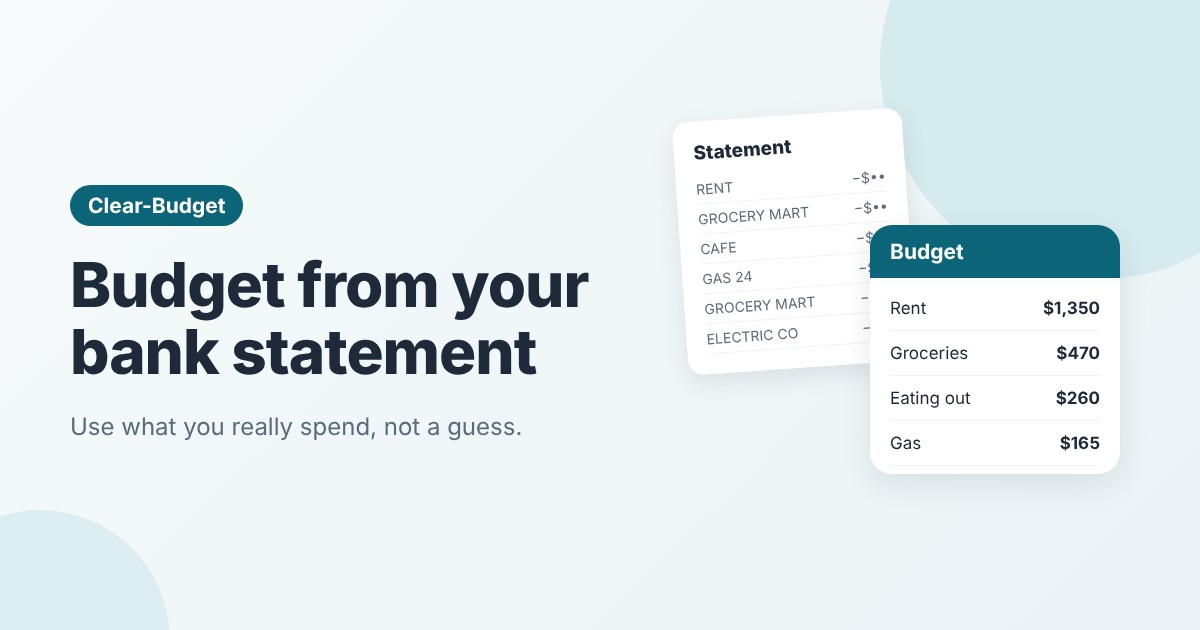
The fix is sitting in your bank account. Your statement is a list of everything you actually spent. Built from that, your budget starts out realistic, and it's much easier to stick to.
Here's how to do it, step by step, with a real example.
Why your statement makes a better budget
When people guess their spending, they usually remember the big bills and forget the small stuff. Coffee, snacks, a quick online order, a parking fee. Each one is easy to forget. Together, they're often the reason a budget "doesn't work".
A statement has no blind spots. It shows every charge, on the date it happened. That gives you two things a guess can't:
• Real amounts, including the small ones.
• Real dates, so you can see when money leaves.
If you're new to budgeting, how to create your first budget covers the basics. This guide is the fast way to fill one in.
Step 1: Download two or three months
Log in to your bank's website or app and download your recent statements. Most banks let you download a CSV file, which opens in Excel or Google Sheets. A PDF works too if you're doing it by hand.
Use two or three months, not one. Any single month can be odd: a birthday, a car repair, a trip. Three months gives you a fair average.
Don't forget credit cards. If you pay for things with a card, download those statements too, or you'll miss a big part of your spending.
Tip: You only need the downloaded file. You never need to give a budgeting app your bank login to do this.
Step 2: Sort every charge into four groups
Go through each charge and put it in one of four groups. This is the key step, so take your time.

Every charge on a statement fits into one of four groups.
1. Regular bills. Same amount, same time each month. Rent, car payment, insurance, phone, subscriptions.
2. Bills that change. They come every month, but the amount moves. Electric, gas, water.
3. Everyday spending. Lots of small charges in a category. Groceries, gas, eating out, shopping.
4. One-offs. Things that won't come every month. A car repair, concert tickets, a gift.
Skip transfers between your own accounts, like moving money to savings or paying your credit card from checking. Those aren't spending. Counting them would count the same money twice.
Step 3: Turn each group into a monthly number
Now turn each group into one monthly amount. Each group gets handled a little differently.
• Regular bills: use the amount as it is.
• Bills that change: take the average, then round up a little. Rounding up gives you a cushion in a high month.
• Everyday spending: add up the three months for each category and divide by three.
• One-offs: add them up, divide by 12, and set that aside each month in a sinking fund. That's how you prepare for the next one.
An example: Sam's statement budget
Sam is paid $1,820 on the 1st and 15th, so $3,640 a month. Sam always felt broke by the end of the month, but couldn't say why. So Sam downloaded August, September and October.
|
Item |
Group |
3-month total |
Monthly |
|
Rent (1st) |
Regular bill |
$4,050 |
$1,350 |
|
Car payment (12th) |
Regular bill |
$930 |
$310 |
|
Car insurance (20th) |
Regular bill |
$384 |
$128 |
|
Internet (22nd) |
Regular bill |
$195 |
$65 |
|
Phone (8th) |
Regular bill |
$165 |
$55 |
|
Streaming (14th) |
Regular bill |
$45 |
$15 |
|
Electric ($92, $118, $135) |
Bill that changes |
$345 |
$125 (rounded up) |
|
Groceries |
Everyday |
$1,410 |
$470 |
|
Eating out |
Everyday |
$780 |
$260 |
|
Shopping and other |
Everyday |
$585 |
$195 |
|
Gas |
Everyday |
$495 |
$165 |
|
Car repair |
One-off |
$640 |
$55 (sinking fund) |
The surprise was eating out. Sam guessed about $100 a month. The statement said $260.

Sam's month, built from three statements. $447 is left to give a job.
Altogether, Sam's planned spending comes to $3,193 a month. That leaves $447. Before, that money just disappeared. Now Sam can decide what it's for: $250 to an emergency fund and the rest as fun money and wiggle room.
Step 4: Give every item a date
A list of monthly totals is a start, but timing matters too. Put each bill on the date it came out of your account. Put each paycheck on its payday. Then keep a running balance, top to bottom.
This shows you the tight spots before they happen. If most bills come out after the 1st, that first paycheck has a lot to carry. Our guide on how to budget by paycheck shows how to balance it out.
Step 5: Now decide what to change
Your statement shows what you did spend. Your budget is what you plan to spend. This is the moment to make choices.
Look at your everyday spending first, since it's the easiest to change. Pick one or two categories to adjust, not everything at once. Sam cut eating out from $260 to $200 by planning two more home dinners a week. That's realistic, so it'll stick.
Small, honest changes beat big, hopeful ones. Our guide on how to stick to a budget explains why.
Step 6: Check it against next month's statement
After your first month on the new budget, download that month's statement and compare. Where were you close? Where were you off?
Adjust the numbers that missed. After two or three rounds, your budget will match your real life closely. From then on, a quick look each month is enough.
Common mistakes to avoid
• Using one month. One unusual month can make the whole budget wrong.
• Forgetting cash and other accounts. Cash withdrawals, a second card, payment apps. Include them all.
• Counting transfers as spending. Paying your card from checking is a transfer, not a new expense.
• Ignoring one-offs. They felt like surprises, but over a year they're predictable. Plan for them.
How Clear-Budget can help
You can do all of this by hand in Clear-Budget for free. Add each bill as an item with its date and amount, set the repeats, and watch the running balance.
With Clear-Budget Premium, you can skip the typing. Upload the CSV file your bank lets you download, and Clear-Budget groups the charges by payee, spots the ones that repeat, and suggests budget items with amounts and dates. You check the list, keep what you want, and it makes the budget. You never give it your bank login.
FAQ
How many months of statements should I use?
Two or three is the sweet spot. One month is too easy to skew. More than three adds work without changing the averages much.
Where do I find a CSV file of my statement?
Most banks offer it on their website, usually near your statements or transaction history, under a name like "Download" or "Export". Choose CSV if you can.
What if my income changes every month?
Use your lowest normal month of income as your planning number. Our guide on budgeting with irregular income explains this in detail.
Is it safe to download my bank statement?
Yes, as long as you keep the file on your own device. Delete it when you're done if you don't need it.
This article is for general information only and is not financial advice.