Free budget planner · no bank login
Know what's left after every bill.
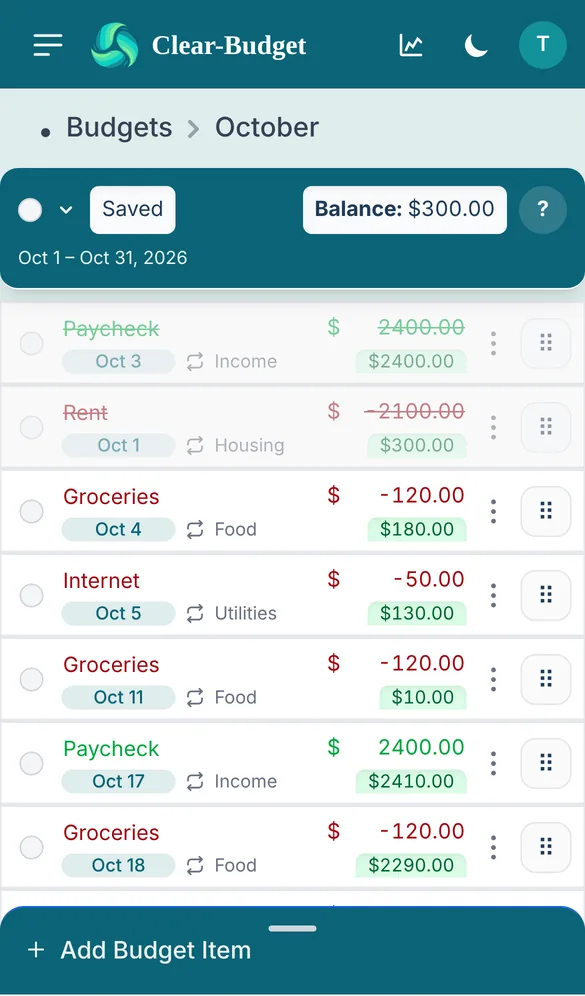
Clear-Budget is a free budget planner that lays out your paychecks and bills by date, shows your balance after each one and tells you how much is safe to spend.
Sign up with Google or email in under a minute. Free to use, no credit card.
-
Free to use
Budgeting is free, with no trial and no card on file. Premium adds more when you want it.
-
No bank login
You enter your own bills and paychecks. Nothing is linked to your bank.
-
Bills fill themselves in
Set a bill to repeat weekly, every two weeks or monthly and it's added for you.
-
On every screen
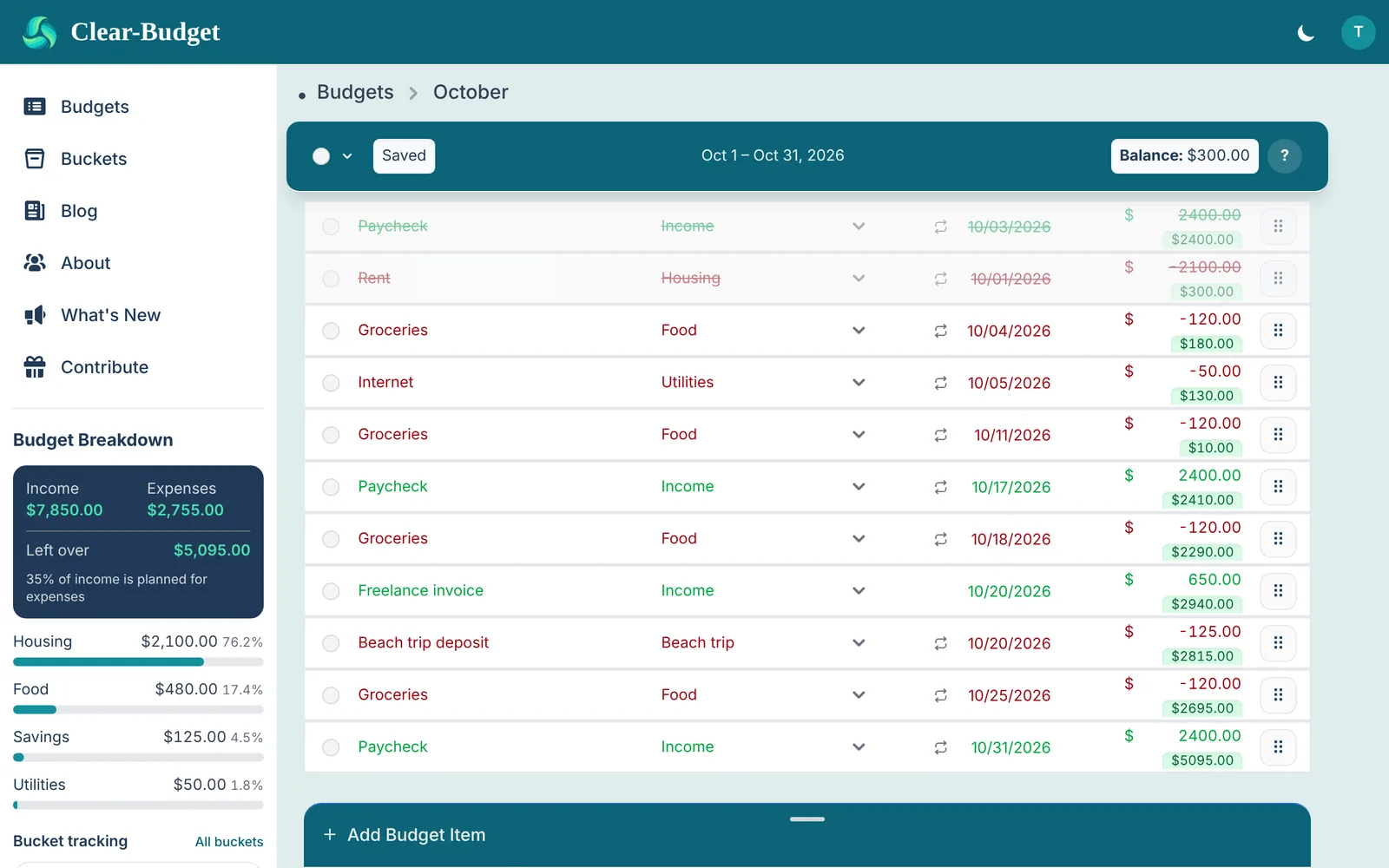
Built for phones first, and just as easy on a tablet or computer.
Make a monthly budget in three steps
No spreadsheets and no formulas. If you know when you get paid and when your bills are due, you can build your budget in a few minutes.
-
1
Start a budget
Pick the dates it covers, like this month or your next pay period.
-
2
Add your paychecks and bills
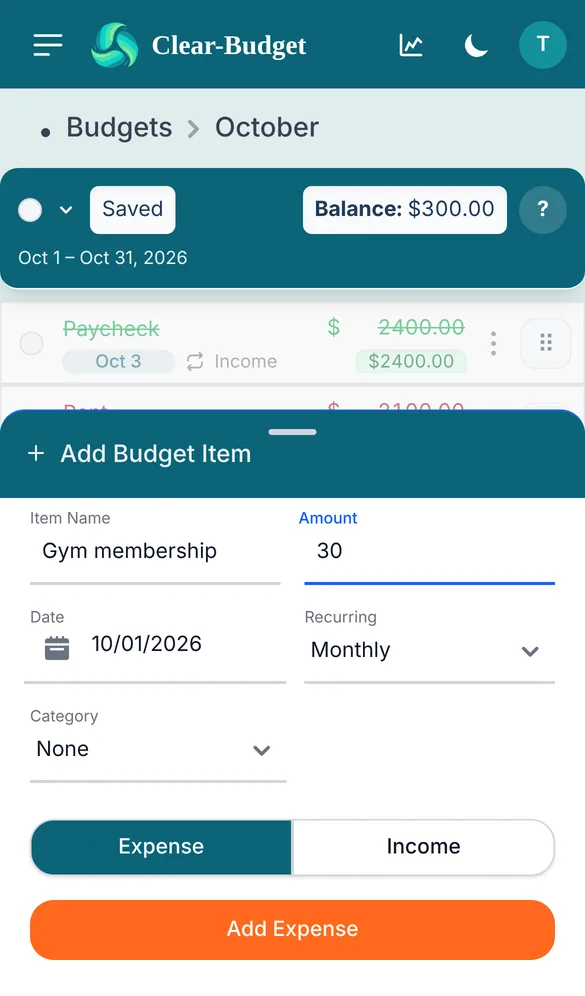
Choose Expense or Income, the amount, the date and how often it repeats. Rent, subscriptions and paychecks fill in through the whole budget.
-
3
Check things off as you pay
Mark a bill paid and your balance updates. Next month, renew the budget and your repeating items come with it.
New here? A short guided tour walks you through it on a practice budget.
Everything you need to budget by paycheck
A bill tracker, a debt payoff planner and a savings goal tracker in one simple budgeting app.
See your balance after every bill
Your bills and paychecks line up in the order you'll pay them. The tag under each amount is what you'll have left at that point, so you can spot a short week before it happens.
- Overdue bills stand out in red
- Drag items into the order you plan to pay them
- Changes save on their own
Know what's safe to spend
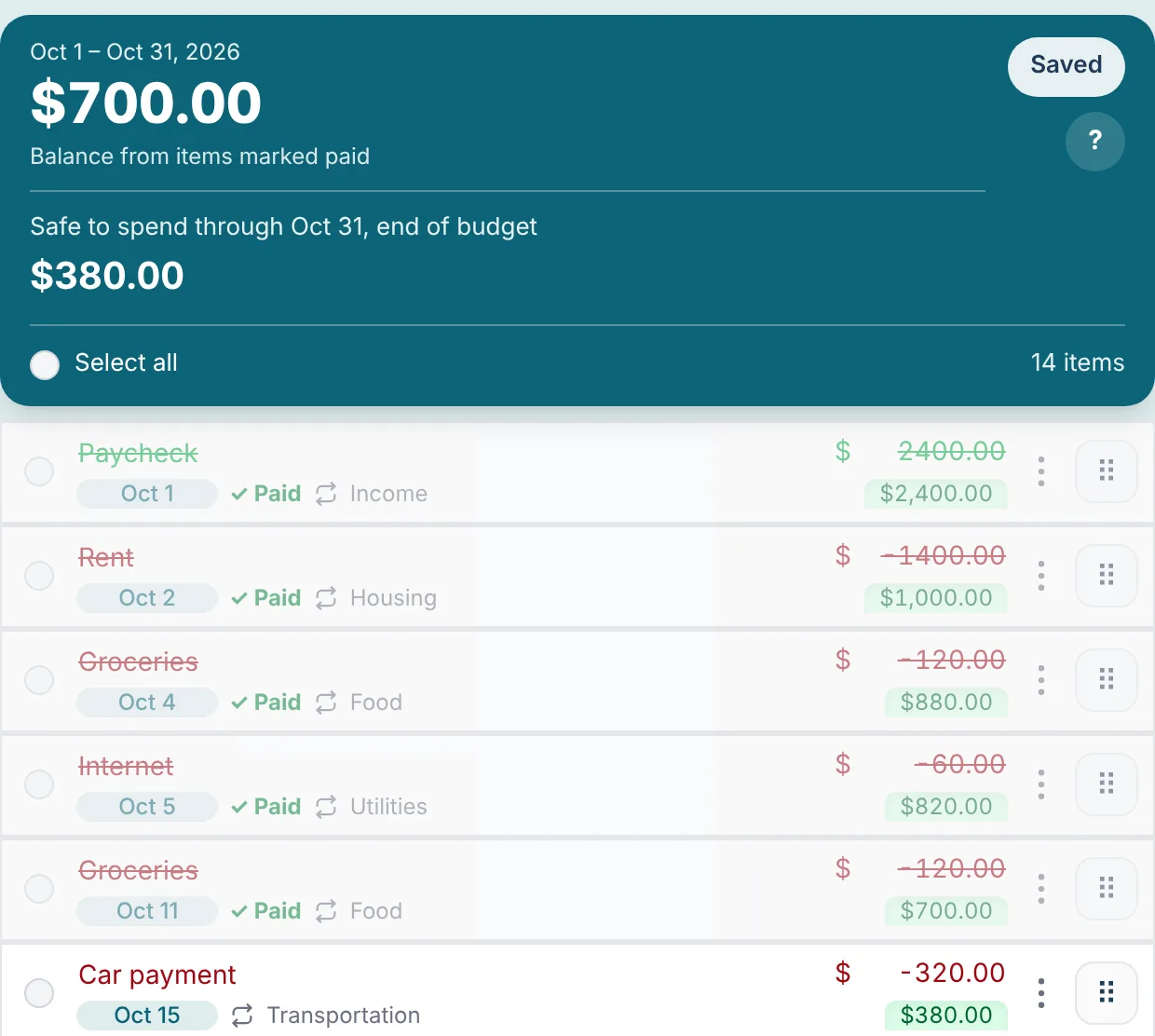
Your balance isn't all yours to spend if rent or a car payment is still coming. Safe to spend looks at every bill and paycheck left in the budget and shows the most you can spend today without coming up short later.
- Sets money aside for every bill left, not just the next one
- Counts paychecks only on the day they arrive
- Shows the date you'd run short if bills outgrow your money
Plan your debt payoff and savings goals
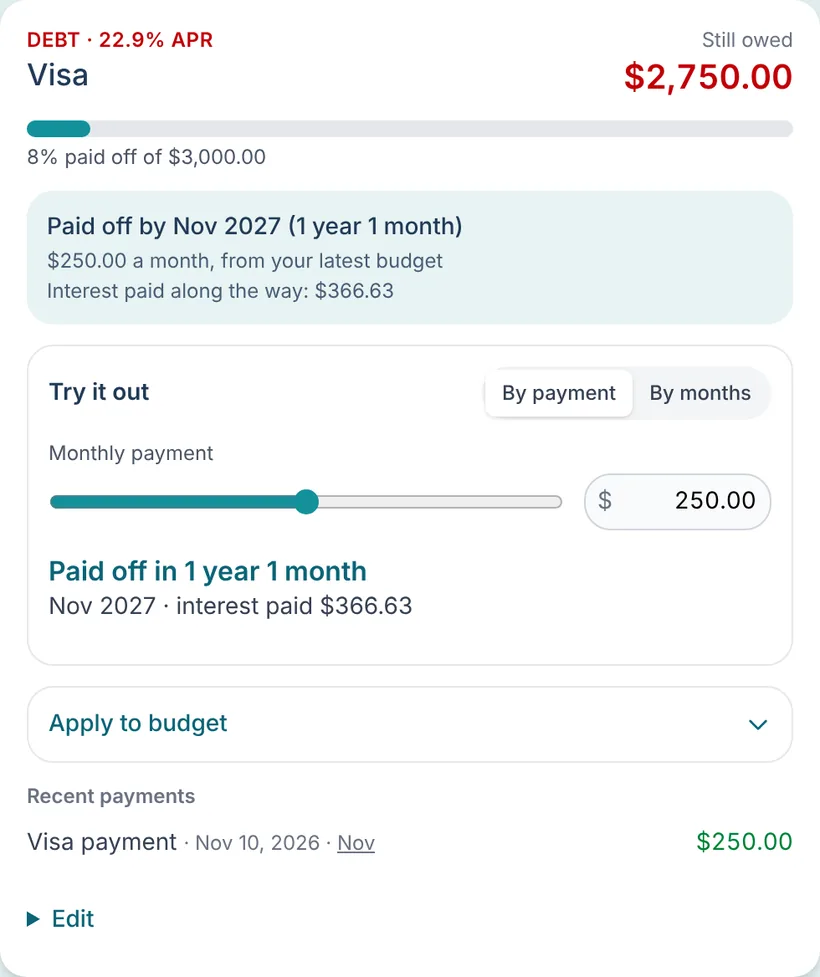
Buckets track a debt you're paying down or money you're saving up. Slide the monthly payment and see your payoff date and the interest you'll pay, or how soon you'll reach a savings goal.
- Debt payoff calculator with APR
- Savings goals with interest earned
- Updates when you mark a payment paid
See where your money goes
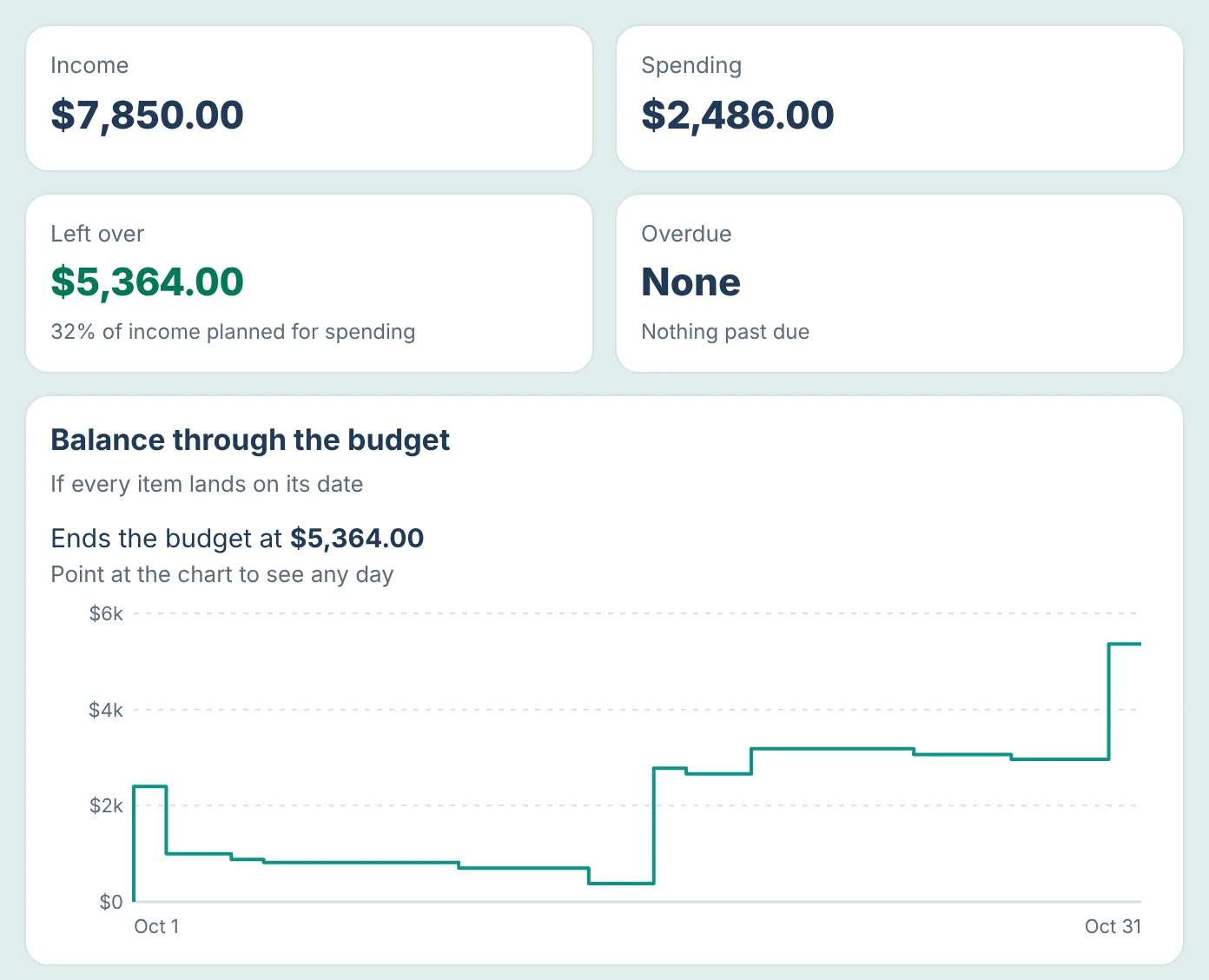
Open Analytics from any budget to see your income, spending and what's left over, a chart of your balance through the month, your biggest expenses, and how this budget compares with the ones before it.
- Balance chart for every day of the budget
- Spending by category and your biggest bills
- Compare income and spending with earlier budgets
Change a bill once, update every repeat
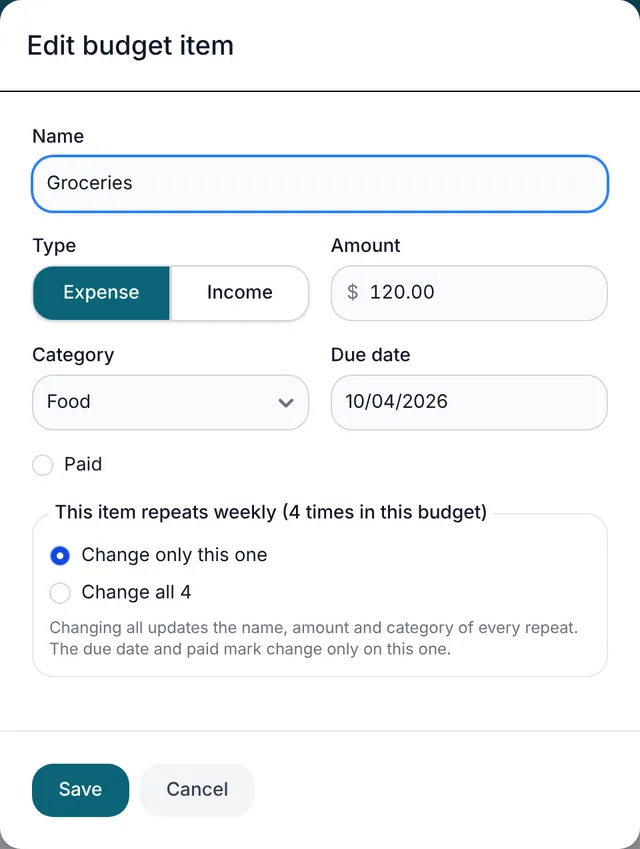
Rent went up? Open the item, change the amount and choose to update every time it repeats in your budget. Due dates and paid marks stay as they are.
- Edit name, amount, category and date in one place
- Update one repeat or all of them
- Works the same on phone and computer
-
Guided tour
A practice budget walks you through adding, moving and paying items.
-
Renew in one click
Start next month's budget with your repeating bills already in place.
-
Dark mode
Switch to a darker look that's easier on the eyes at night.
-
Sign in with Google
Or use your email. Your budgets are saved to your account.
-
Your currency
Pick the currency your amounts are shown in from your settings.
-
Help when you need it
Questions or ideas? Email support@clear-budget.com and we'll write back.
Your next paycheck deserves a plan.
Set up your budget tonight and know exactly where you stand tomorrow.
Free calculators, no account needed
Try the math behind Clear-Budget before you sign up.
Budgeting tips from the blog
All articles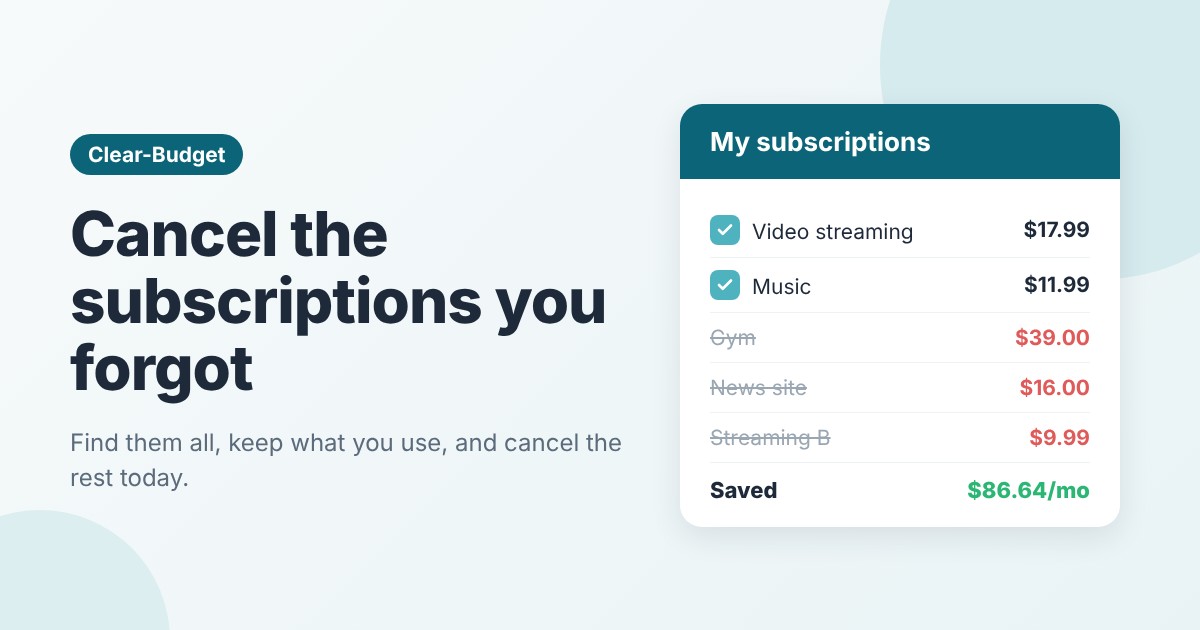
Nov 6, 2026 · 6 min read
How to Find and Cancel Subscriptions You Forgot About
Find every subscription you pay for, decide what to keep with three simple questions, cancel the rest, and stop free trials and yearly renewals from catching yo
Nov 5, 2026 · 7 min read
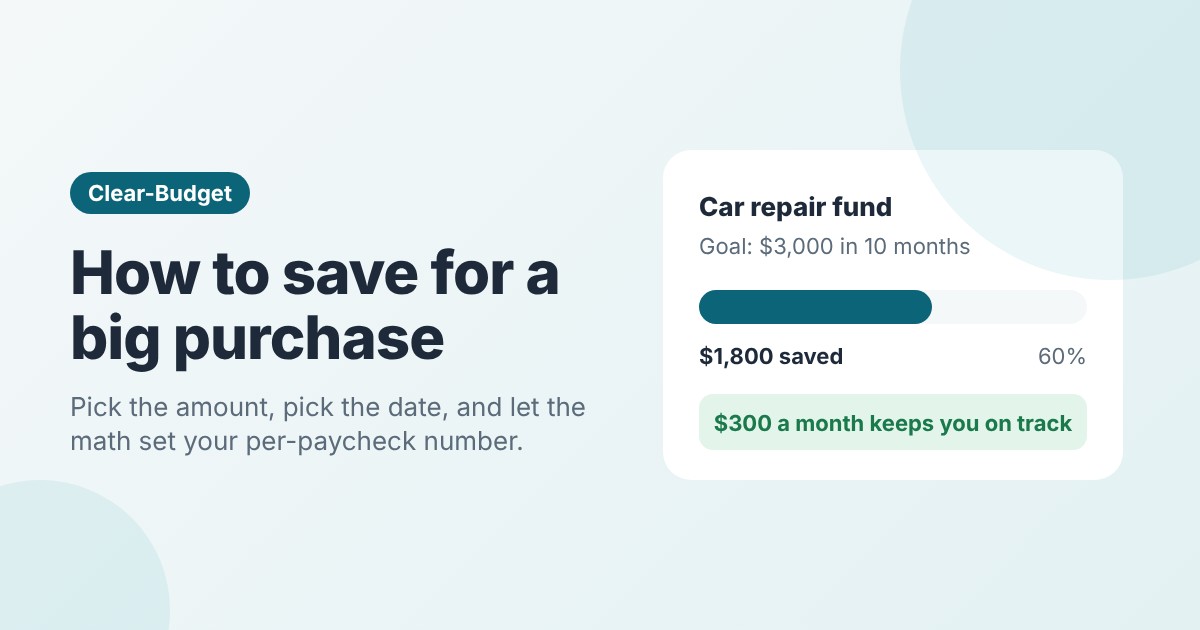
How to Save for a Big Purchase: A Simple Plan
Set a goal amount and a deadline, work out how much to save each paycheck, and pick the right place to keep it. Includes a $3,000 car repair fund example.
Nov 4, 2026 · 6 min read
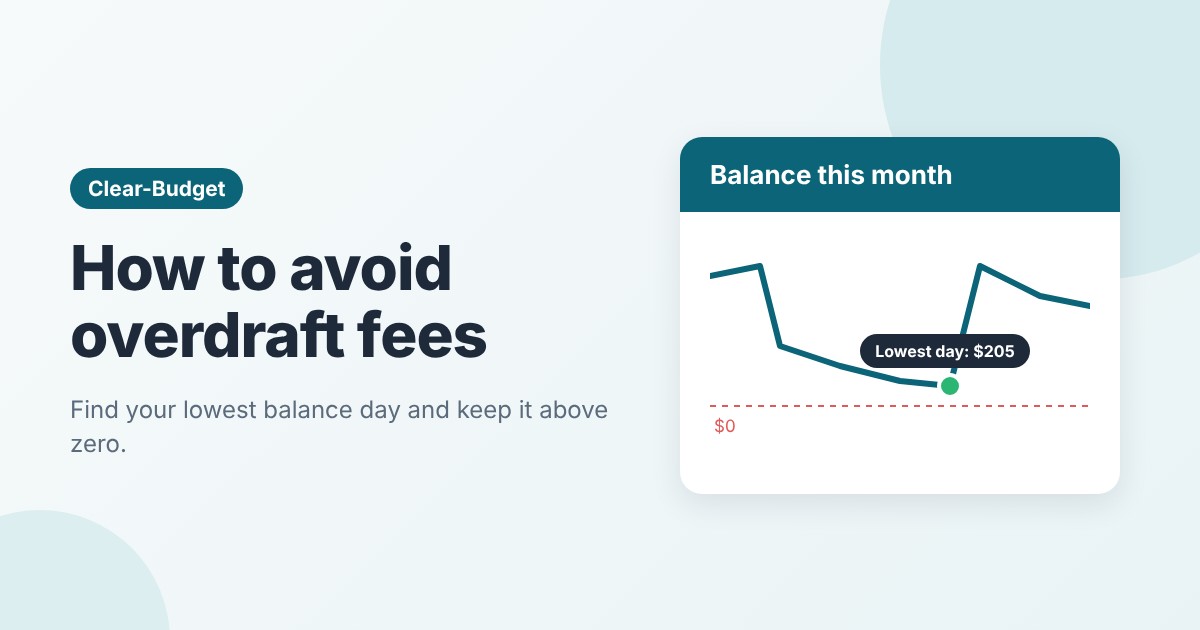
How to Avoid Overdraft Fees: Find Your Lowest Balance Day
Overdrafts are usually a timing problem. Learn to find your lowest balance day, move bill dates, keep a small cushion and set up your account so fees can't pile
Questions
Is Clear-Budget really free?
Yes. Budgets, Safe to spend, analytics and up to three buckets are free, with no trial and no credit card. Premium is an optional upgrade that adds unlimited buckets, shared budgets, full history, spreadsheet import and export, and custom categories. The blog shows a few ads to help pay for hosting.
Do I have to link my bank account?
No. You add your own paychecks and bills, so Clear-Budget never asks for your bank login and never sees your bank transactions.
Can I budget by paycheck instead of by month?
Yes. A budget can cover any dates you choose, such as a calendar month or the days until your next paycheck. Repeating paychecks and bills fill in weekly, every two weeks or monthly.
Does it work on my phone?
Yes. Clear-Budget is built for phones first and also works on tablets and computers. Sign in on any device and your budgets are there.
What does Safe to spend mean?
It's the most you can spend today without running short later in the budget. Clear-Budget walks through every bill and paycheck still to come, by date, and keeps back enough for each bill, so money for rent stays put even if a smaller paycheck lands first.
How does the debt payoff planner work?
Add a debt as a bucket with its balance and interest rate. Slide the monthly payment to see when it will be paid off and how much interest you'll pay, then add the payment to your budget. Savings goals work the same way.
How do I get started?
Sign up with Google or your email, create your first budget and add your paychecks and bills. A short guided tour on a practice budget shows you around.

Start your free budget today
Plan your paychecks, track your bills and watch your debt shrink and savings grow.
Already have an account?