|
Key takeaways • Mint shut down in March 2024, and Intuit moved users to Credit Karma. • Credit Karma kept account tracking, spending, net worth and credit monitoring. • It does not offer budgets, savings goals or Mint's subscription manager. • You can keep Credit Karma for tracking and add a free budget alongside it. |
When Mint shut down in March 2024, Intuit pointed users to Credit Karma. Many people moved their accounts over, opened the app, and went looking for their budget.
Here's the short answer: Credit Karma doesn't have budgets. Credit Karma itself said it "does not currently provide budgeting features the same way that Mint has in the past," as quoted by 20somethingfinance.
This guide covers what moved over, what didn't, and how to get a working budget back for free.
What Credit Karma kept from Mint
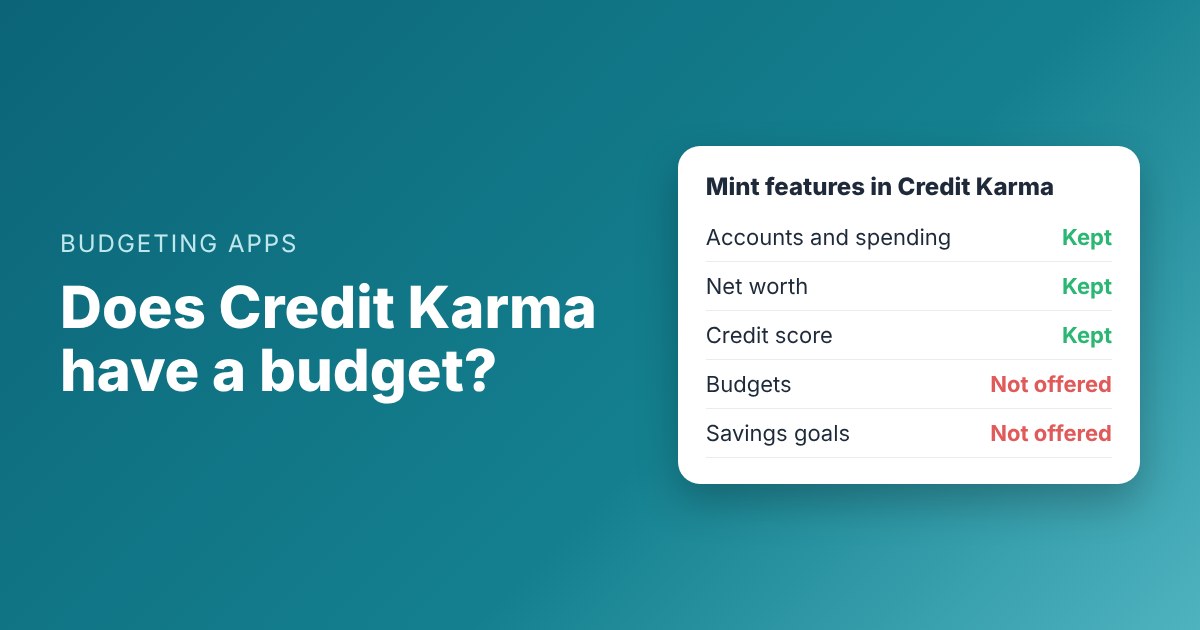
Credit Karma kept the "see everything" side of Mint. According to CNBC Select and WalletHub, you can still:
• See your linked accounts and transactions in one place
• Track spending by category and cash flow
• Follow your net worth over time
• Check your credit score and reports
If you mainly used Mint to look at where money went, Credit Karma may be enough.
What didn't move over

What Mint users got in Credit Karma, and what to use for the parts that didn't move over.
The planning side of Mint is gone. WalletHub lists these as not offered in Credit Karma:
• Budgets. No monthly limits by category.
• Savings goals. No built-in way to save toward something.
• Subscription manager. No list of recurring charges to review.
That matters, because a budget is what helps you decide before you spend. Tracking only tells you afterward.
Why the missing budget matters
Tracking and budgeting sound similar, but they do different jobs. Tracking tells you that you spent $612 on groceries last month. A budget tells you, before the month starts, that you've planned $500.
Without that plan, it's easy to drift. Spending creeps up a little each month, and you only notice when a bill bounces or a card balance grows. Many former Mint users say this is what they miss most.
A budget also answers timing questions that tracking can't: will rent clear before payday? How much can you spend this weekend? Our guide to how much you can spend until payday walks through that math.
Your options now
1. Keep Credit Karma and add a budget
This is the simplest fix. Credit Karma keeps showing your accounts and credit. A separate budget handles planning. You don't have to pick one.
2. Switch to a full replacement
Some apps do both tracking and budgeting. Most of them charge for it, or keep bank connection for paid plans. Our roundup of free Mint alternatives compares the free plans side by side.
3. Use a spreadsheet
A simple spreadsheet with your bills, paydays and a few spending categories works fine. It just takes more upkeep and won't work as well on your phone.
Worked example: Luis rebuilds his budget
Luis used Mint for six years. He kept Credit Karma after the switch, but he noticed he was running short before payday more often. Without his Mint budget, nothing warned him.
He takes home $1,850 every two weeks. He listed his December paychecks and bills by date in a free budgeting app:
|
Date |
Item |
Amount |
Balance after |
|
Dec 4 |
Paycheck |
+$1,850 |
$1,850 |
|
Dec 5 |
Rent |
-$1,100 |
$750 |
|
Dec 6 |
Groceries |
-$150 |
$600 |
|
Dec 9 |
Phone |
-$65 |
$535 |
|
Dec 12 |
Car insurance |
-$118 |
$417 |
|
Dec 13 |
Gas |
-$45 |
$372 |
|
Dec 18 |
Paycheck |
+$1,850 |
$2,222 |
Luis's tightest day is Dec 13, at $372. He now knows to go easy on spending that week.
Credit Karma still shows him what he spent. His budget now shows him what's coming, and when.

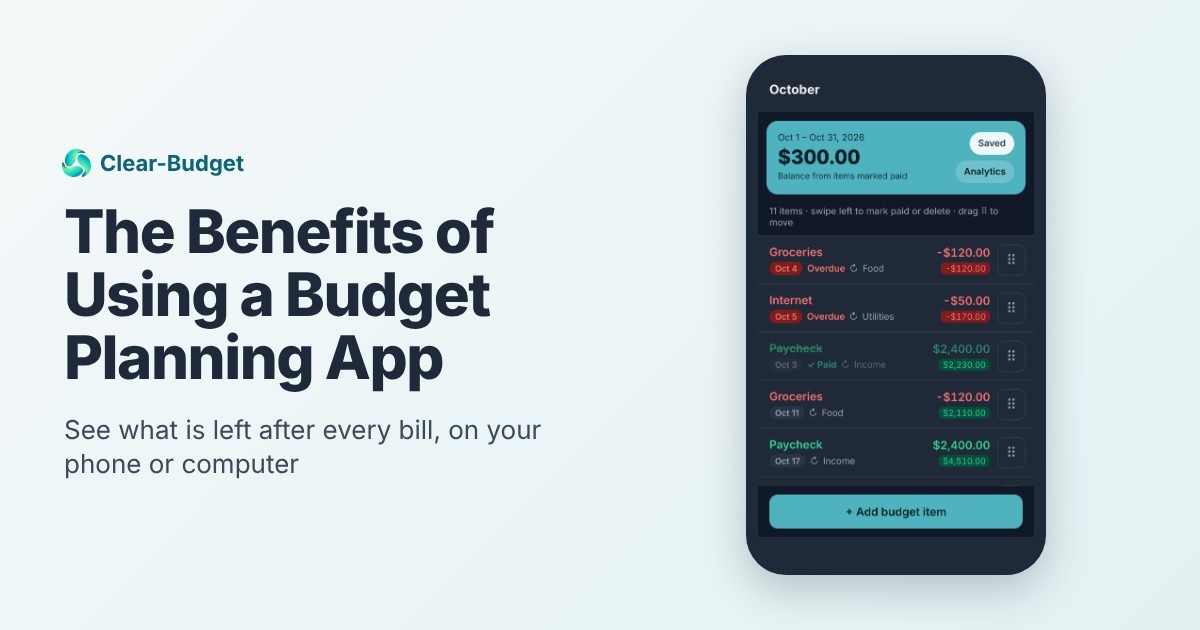
Luis's budget on his phone in Clear-Budget, with Safe to spend and his lowest-balance day at the top.
What to look for in a budget to pair with Credit Karma
• It plans ahead. You want to see bills before they're due, not after.
• It fits how you're paid. If you're paid every two weeks, a monthly budget can hide a short week. See how to budget by paycheck.
• It works on your phone. You'll check it more often.
• It's free or cheap. Mint was free, so a big subscription can feel like a step back.
Common mistakes after the switch
• Assuming Credit Karma's categories are a budget. They show what happened, not what you planned.
• Forgetting yearly bills. Mint's budget may have reminded you about insurance or registration. Plan for them with sinking funds.
• Losing track of subscriptions. Credit Karma has no subscription manager, so review recurring charges a few times a year. Our subscription check guide shows how.
• Trying to rebuild everything at once. Start with paydays and bills. Add spending categories after a month.
Should you leave Credit Karma?
Not necessarily. Credit Karma is still free, and credit monitoring is useful. If you like seeing all your accounts in one place, keep it.
The question is only where your budget lives. For most ex-Mint users, the easiest answer is a separate budget that takes ten minutes a week, with Credit Karma in the background.
How Clear-Budget fits
Clear-Budget is a free budgeting app built around due dates and paydays. You add your paychecks and bills once, set them to repeat, and see your balance after each one.
It doesn't connect to your bank, so it won't duplicate Credit Karma. That's on purpose: Credit Karma watches your accounts, and Clear-Budget plans what's next. If you'd rather keep your bank login out of another app, see how to budget without linking your bank.
What a week looks like with both
Here's how Luis splits the work between the two apps. It takes him about 15 minutes a week.
|
When |
In Credit Karma |
In his budget |
|
Payday |
Glance at the deposit |
Mark the paycheck paid; check the lowest-balance day |
|
Sunday |
Look at last week's spending by category |
Update groceries and gas with what he really spent |
|
When a bill is paid |
Nothing |
Mark it paid so the balance stays right |
|
Once a month |
Check his credit score |
Add next month's paydays and any new bills |
Credit Karma looks back. The budget looks ahead.
The point isn't to track everything twice. Credit Karma does the watching, and the budget does the deciding.
After two months, Luis stopped running short before payday. Nothing about his income changed. He just saw the tight week coming.
A 20-minute setup
1. Open Credit Karma and look at last month's spending by category.
2. Write down your paydays for the next month.
3. List your bills with due dates and amounts.
4. Add a few spending lines from Credit Karma's categories, like groceries and gas.
5. Check your lowest-balance day and adjust if it's too close to zero.
You can create a free Clear-Budget account and follow the guided tour, or try the free paycheck budget calculator first.
FAQ
Does Credit Karma have a budgeting tool?
No. Credit Karma tracks accounts, spending, net worth and credit, but it doesn't let you set budgets. Credit Karma said it doesn't provide budgeting features the way Mint did.
When did Mint shut down?
Mint went offline in March 2024, according to WalletHub, and Intuit moved users to Credit Karma.
Can I use Credit Karma and a budgeting app together?
Yes. Many people keep Credit Karma for credit and account tracking and use a separate app or spreadsheet to plan their budget.
Is Credit Karma still free?
Yes. Credit Karma doesn't charge for its app. Adding a separate free budget means you don't pay anything for the pair.
What is the best free replacement for Mint's budget?
It depends on what you used Mint for. Our free Mint alternatives roundup compares the free plans of Clear-Budget, EveryDollar, Goodbudget and Rocket Money.
This article is for general information only and is not financial advice.